![Sabanto-Horizontal-Orange-on-Transparent-RGB-1080px-05.16.23.png]](https://support.sabantoag.com/hs-fs/hubfs/Sabanto-Horizontal-Orange-on-Transparent-RGB-1080px-05.16.23.png?height=50&name=Sabanto-Horizontal-Orange-on-Transparent-RGB-1080px-05.16.23.png)
You can now archive and unarchive fields in Sabanto’s Vehicle Mission Control (vMC) to keep your workspace clean and focused while preserving historical and seasonal field setups.
What This Lets You Do
-
Archive a Field: Hide inactive or outdated field boundaries from your main list and map without deleting them.
-
Unarchive a Field: Bring a field back into your active rotation when it’s relevant again.
-
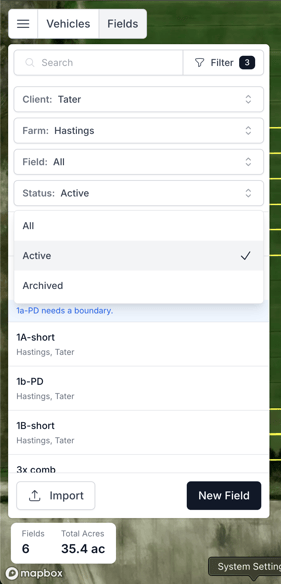
Filter by Status: Quickly toggle between All, Active, and Archived fields to see only what you need.
This is especially useful if you:
-
Run different boundaries for wet years vs. dry years
-
Have temporary obstacles (e.g., standing water, seasonal waterways, construction zones)
-
Test different versions of a field boundary and want to switch season-to-season
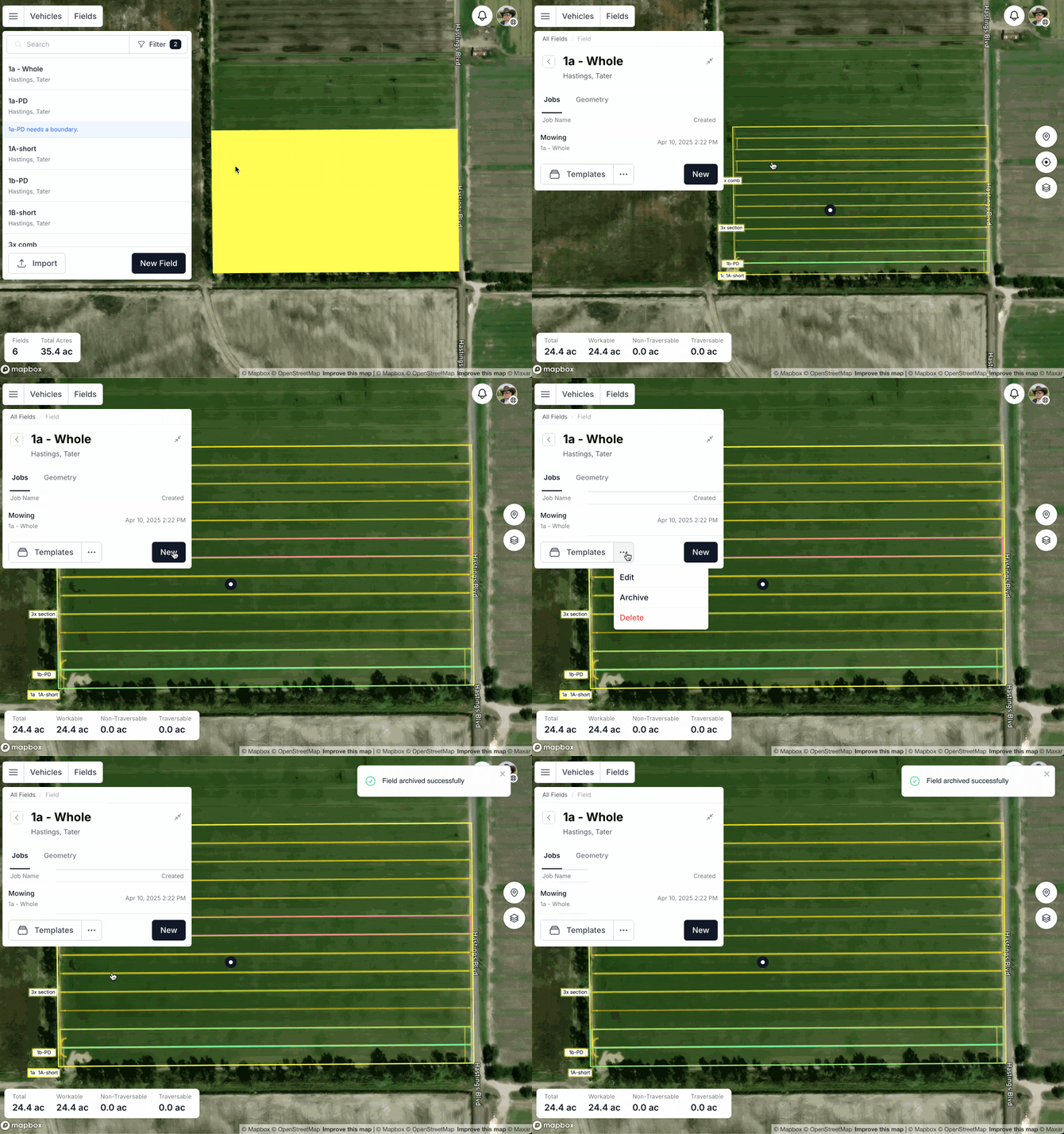
How to Archive a Field
-
Open vMC and navigate to the specific field you want to archive.
-
Click the "..." (more) menu for that field.
-
Select Archive.
-
The field will move to the Archived state, and you’ll see an on-screen confirmation.
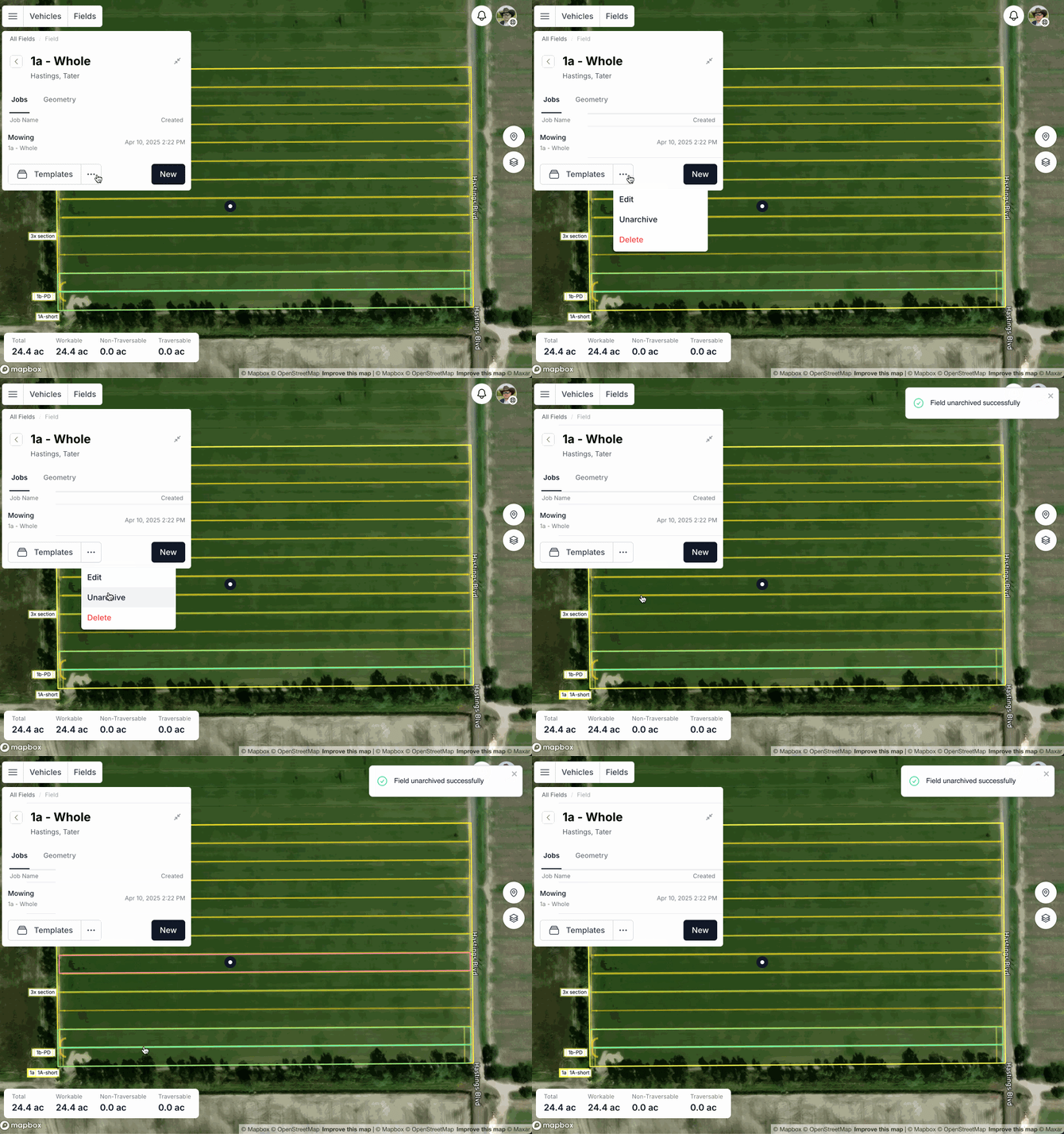
How to Unarchive a Field
-
Go to your main Field List in vMC.
-
Use the Status filter and choose Archived.
-
Select the field you want to bring back.
-
Click the "..." (more) menu for that field and choose Unarchive.
-
The field will return to Active status and will again appear in your main field list and on the map.
What Changes When a Field Is Archived?
-
Map View: The field’s geometry is hidden from the map, so passes and missions won’t be planned visually against that boundary.
-
Field List: It’s removed from the default Active list to reduce clutter.
-
Metrics: Its values are excluded from the totals at the bottom of the field list, keeping your active-acre and performance rollups accurate.
Why This Matters for Your Operation
-
Cleaner Workspace: Remove visual noise from overlapping boundaries, trials, or outdated versions.
-
Preserve Work You’ve Already Done: Keep historical and seasonal geometries on hand without re-drawing when conditions repeat.
-
Operational Flexibility: Quickly switch between field “versions” as water, crop, or management zones change—without risking accidental use of the wrong boundary in mission planning.