![Sabanto-Horizontal-Orange-on-Transparent-RGB-1080px-05.16.23.png]](https://support.sabantoag.com/hs-fs/hubfs/Sabanto-Horizontal-Orange-on-Transparent-RGB-1080px-05.16.23.png?height=50&name=Sabanto-Horizontal-Orange-on-Transparent-RGB-1080px-05.16.23.png)
Autoplay allows the Sabanto Autonomy System to automatically begin the next mission in a vehicle's queue without operator intervention. When enabled, after each mission completes and the Audio, Visual & Light (AV&L) sequence runs, the system advances to the next queued mission on its own.
Requirement: An AV&L Kit must be installed on the vehicle to use Autoplay. If your vehicle doesn't have one, please contact sales or your local dealer.
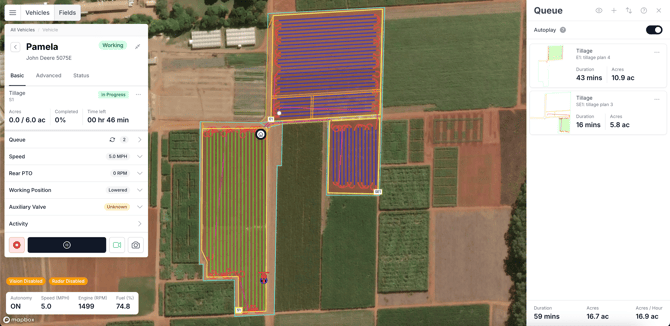
How to Enable Autoplay
- Open Vehicle Mission Control (vMC) and select a vehicle.
- Open the Queue panel from the vehicle controls sidebar.
- Scroll to the Queue Settings section at the bottom of the panel.
- Toggle Autoplay on. If the setting saves successfully, a confirmation toast will appear:
"Autoplay has been enabled — The Sabanto Autonomy System will automatically begin the next mission in the queue."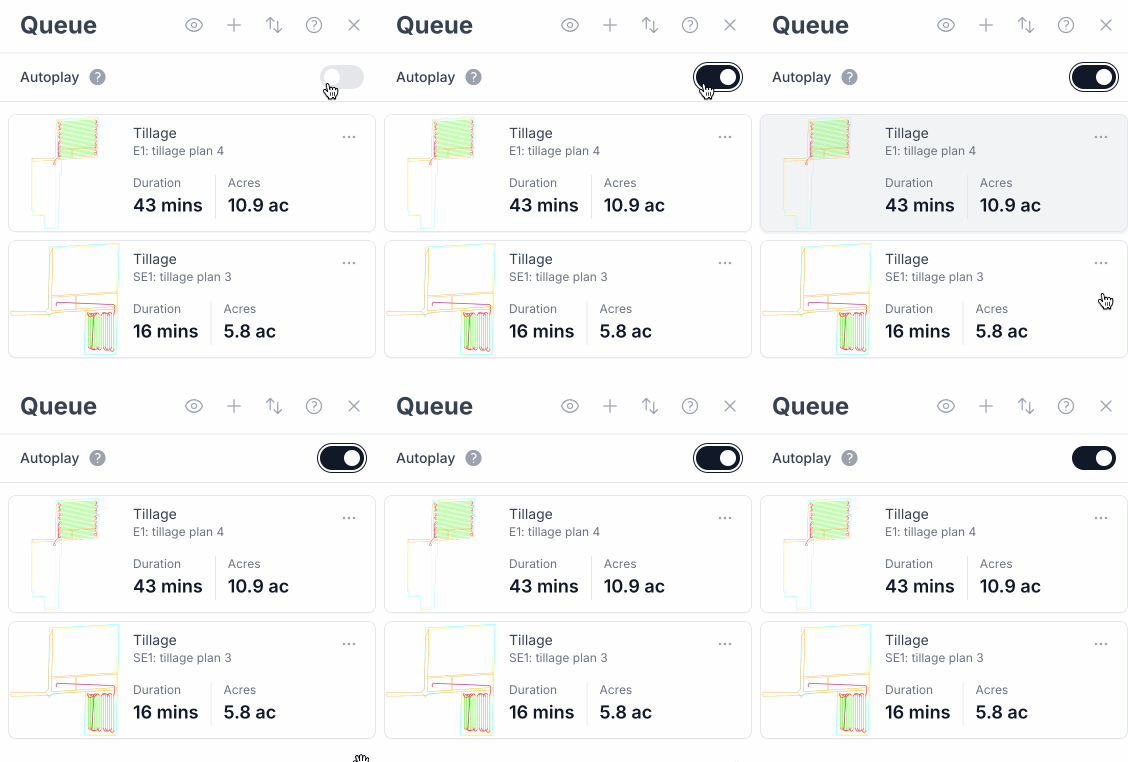
- When Autoplay is active, a spinning icon appears next to the Queue label in the vehicle's basic controls list.

Assigning a Mission with Autoplay Enabled
When you assign a mission to a vehicle that has Autoplay turned on, a confirmation dialog will appear before the mission is saved:
"Autoplay is enabled. After the AV&L sequence completes, this mission will begin automatically. Are you sure you want to proceed?"
Select "Yes, continue" to confirm, or "Cancel" to go back.
How to Disable Autoplay
- Open the Queue panel for the vehicle.
- Toggle Autoplay off in Queue Settings. A toast will confirm:
"Autoplay has been disabled — An operator will be required to resume each mission in the queue."
Troubleshooting
Autoplay toggle is grayed out
The vehicle does not have an AV&L Kit installed. Contact sales to purchase and install one. A hint with a contact sales link will appear in the Queue Settings panel. After installation, you must add the AV&L component to the tractor within the equipment settings.
Missions are not starting automatically
Check for active vehicle warnings in the controls panel. The AV&L sequence must complete without errors before the next mission can begin. Resolve any blocking warnings and confirm the vehicle is in a ready state.
A confirmation dialog appears every time I assign a mission
This is expected behavior. When Autoplay is enabled, vMC asks for confirmation each time you assign a mission directly to the vehicle because it will automatically begin navigation within a few seconds.
Autoplay didn't work after restarting the device
After restarting the device, the Autoplay toggle will be reset to the disabled state. If Autoplay was enabled while the device restart occurred, vMC may be out of sync with the device's state. Please refresh your screen or toggle Autoplay several times in order to get it back into sync.
Autoplay setting doesn't appear
The Autoplay feature flag is not enabled for your account. Contact Sabanto support.