![Sabanto-Horizontal-Orange-on-Transparent-RGB-1080px-05.16.23.png]](https://support.sabantoag.com/hs-fs/hubfs/Sabanto-Horizontal-Orange-on-Transparent-RGB-1080px-05.16.23.png?height=50&name=Sabanto-Horizontal-Orange-on-Transparent-RGB-1080px-05.16.23.png)
Organizations planning to upgrade into the 1.24 release series should install the latest available 1.24.x release whenever possible.
Current Recommended Version: vOS 1.24.4
Quick search
Major Features
Improved Drawbar Implement Tracking
Introduced in vOS 1.24.0
| vOS now more accurately tracks the position of drawbar mounted implements as the tractor turns, improving the system's understanding of the vehicle and implement footprint reducing unnecessary geofence pauses. | 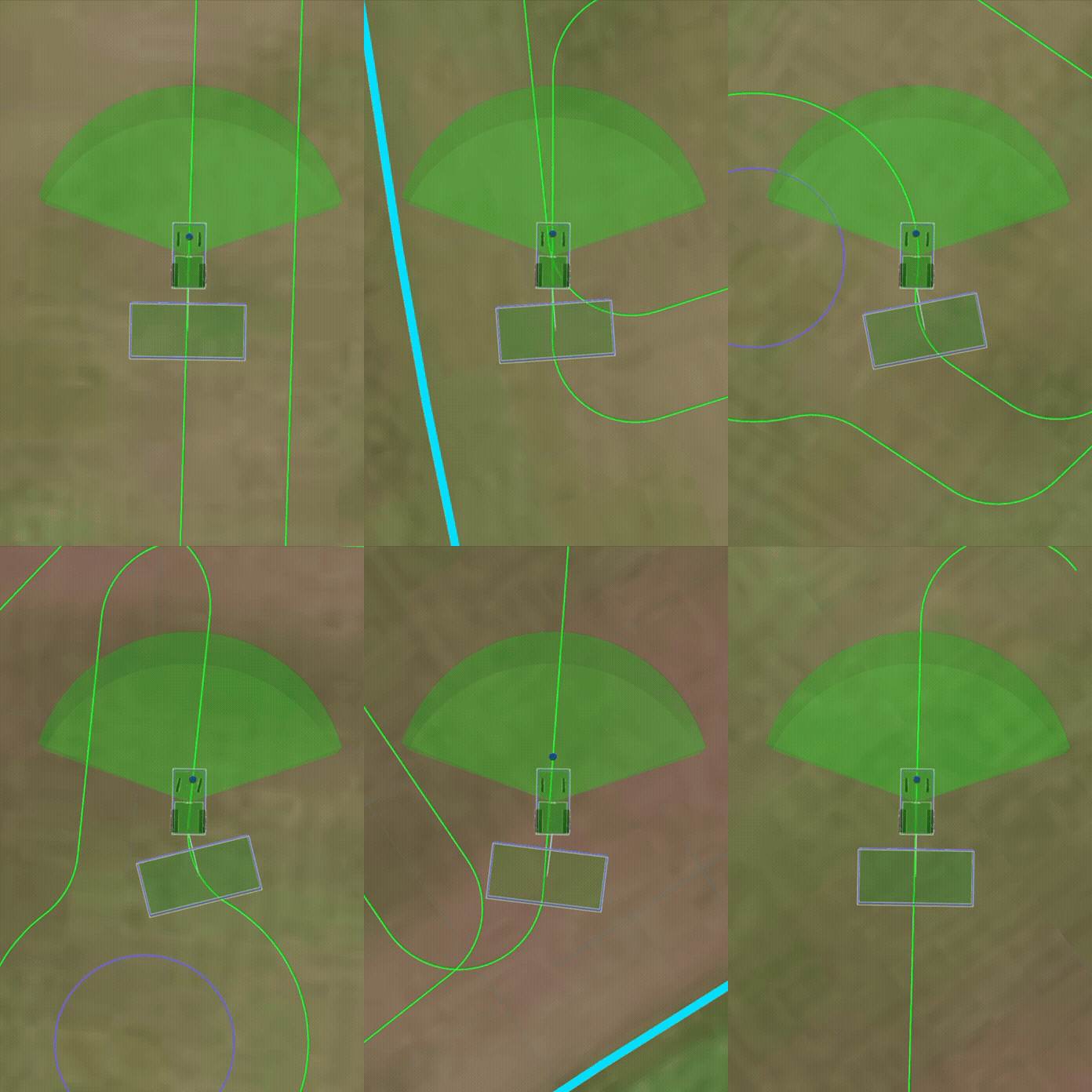 |
Related Documentation
Implement-Controlled Ground Speed
Introduced in vOS 1.24.0
Implements can now define a desired working speed for the tractor. vOS will automatically follow the commanded speed while the implement is operating during navigation.
The first implement to use this functionality is the Verdant Sharpshooter.
Related Documentation
Improved Pre-empt Geofence Behavior with Auto-Resume
Introduced in vOS 1.24.0
Geofence pre-empt handling has been improved to reduce unnecessary job interruptions caused by brief or momentary path deviations. When a pre-empt condition clears quickly, such as during an aggressive turn, the system can now recover without requiring the job to be restarted if auto-resume features are enabled in the advanced controls.
Related Documentation
Expanded Auto-Resume Coverage for Infrared Obstacle Detection
Introduced in vOS 1.24.4
Auto-resume now covers "Infrared obstacle detection system was not receiving the information needed to detect obstacles." pauses, so the vehicle can automatically resume from more types of temporary obstacle-detection interruptions instead of requiring manual intervention.
Related Documentation
Automatic Camera Recovery
Introduced in vOS 1.24.4
Cameras that became unresponsive during reconnection after dropping out previously required a device restart to recover. vOS now detects a stuck camera reconnect and automatically restarts it, so all cameras come back online on their own more reliably.
Related Documentation
Major Resolved Issues
Resolved in vOS 1.24.0 - [Release Notes]
-
Camera Dropouts Could Cause High Processor Usage:Fixed an issue where camera dropouts could cause high processor usage and degraded system responsiveness.
- Field Boundary Collection Could Cause Vehicle to Appear Offline: Fixed an issue where completing field boundary collection with poor cellular service could cause the vehicle to appear offline.
Resolved in vOS 1.24.1 - [Release Notes]
-
Live Video Fails to Load in Microsoft Edge and Recent Chrome Versions: Live video streaming could fail to start when viewed in Microsoft Edge or recent versions of Google Chrome. vOS 1.24.1 resolves this issue.
- "Reset Brake" Did Not Fully Clear Actuator Error Codes: Pressing "Reset Brake" in vMC to clear a motor-overload error on the brake actuator did not always clear the error, leaving the actuator unable to move when commanded. "Reset Brake" now reliably clears the error state so the actuator can be commanded again.
- "Reset Brake" Could Overwrite Saved Brake Calibration Values: Pressing "Reset Brake" while inside the brake calibration tool could overwrite the saved calibration values — even if the calibration was then canceled. "Reset Brake" no longer changes saved calibration values unless a new calibration is intentionally completed.
Resolved in vOS 1.24.2 - [Release Notes]
- Verdant Sharpshooter Status Values Could Trigger an Internal Error: Certain status values reported by the Verdant Sharpshooter implement could trigger an internal communication error with the implement. This is now resolved.
Resolved in vOS 1.24.4 - [Release Notes]
- Radar Obstacle Detection Not Reporting Obstacle Data: In some cases, a radar unit could show a normal "OK" status while no longer detecting any obstacles. This is now fixed, malfunctioning radar's will now pause the vehicle.
- Reduced False Pauses from Misidentified Radar Obstacles: In some cases, the radar could mistake a stationary object outside the vehicle's path for something moving nearby, causing the vehicle to pause unnecessarily — sometimes more than once for the same object. This is now fixed, so these false pauses should happen far less often.
- Radar Automatic Recovery Could Repeatedly Fail: After a radar failure, the automatic (and manual) recovery process could repeatedly fail to bring the radar back online. This is now fixed, so radar recovery succeeds reliably after a failure.