![Sabanto-Horizontal-Orange-on-Transparent-RGB-1080px-05.16.23.png]](https://support.sabantoag.com/hs-fs/hubfs/Sabanto-Horizontal-Orange-on-Transparent-RGB-1080px-05.16.23.png?height=50&name=Sabanto-Horizontal-Orange-on-Transparent-RGB-1080px-05.16.23.png)
Install guide for part number: 9999-KT-5017 v1
Starlink Mini device NOT included
Important Things to Know
-
The vPFM can be set up to run Starlink only or Starlink + Cellular.
-
If it is Starlink only, remote wake up WILL not function.
-
If it is set up to run Starlink + Cellular, remote wake up is possible as long as there is enough cellular signal for the vPFM to communicate.
-
-
It is standard that the vPFM will prefer to use the WiFi over cellular. As long as the Starlink Mini device is broadcasting a network, the vPFM will stay connected even if there is no data stream.
-
Example: if parked inside a building, the device will be broadcasting a network but has no signal to move data.
-
-
The vPFM will not come ONLINE until the Starlink Mini boots up and begins broadcasting a WiFi signal. However if both Starlink and Cellular are present, it will boot up using cellular, once WiFi is broadcasted the vPFM will automatically switch over. The system may drop OFFLINE during the switching process.
-
The device shares power with the BFE enclosure, if the power light on the BFE enclosure is on, the Starlink mini should also be powered on.
-
Note: some Starlink Mini devices do have a power indicator light on the bottom side of them.
-
-
You must have a Starlink compatible BFE.
Starlink Device Set Up
The vPFM is pre-configured to connect to a specific wireless network (certain SSID and password). Sabanto asks to configure the mini device with a standard SSID and password. Follow the instructions to set up the Starlink Mini device that are included from Starlink. When it comes time to set SSID and password. Please use the following:
|
SSID = vPFM ID |
Example: |
|
Password = Sabanto-(Last 4 digits of the vPFM ID) |
Example: |
The password is case sensitive.
Hardware Installation
Included hardware
STARLINK MOUNT
|
Item |
Quantity |
Part Number |
Description |
|
1 |
1 |
9999-MP-1051 |
PLATE, BFE LID TO STARLINK ADAPTER |
|
2 |
2 |
9999-MP-1052 |
PLATE, FORMED, STARLINK MOUNT STANDOFF |
|
3 |
1 |
9999-MP-2010 |
ASM, STARLINK MOUNT MAIN WITH PEM HARDWARE |
|
4 |
2 |
9999-MP-1054 |
PLATE, FORMED, STARLINK MOUNT HOLDING L TAB |
|
5 |
8 |
9999-HA-1279 |
FOAM STRIP, ADHESIVE BACK, 0.50 WIDE X 0.19 THICK, PER FOOT |
|
6 |
4 |
9999-HA-1142 |
SCREW, M6-1 X 40MM, SHCS, PT, SS |
|
7 |
4 |
9999-HA-1280 |
SPACER, 13MM X 6MM X 8MM L, UNTHREADED, AL |
|
8 |
4 |
9999-HA-1134 |
SCREW, M6-1 X 16MM, SFHHCS, ZP |
|
9 |
4 |
9999-HA-1131 |
NUT, M6-1, NYLOC, FH, ZP |
|
10 |
4 |
9999-HA-1282 |
SCREW, M5-0.8 X 10MM, SHCS, SS |
|
11 |
4 |
9999-HA-1281 |
SCREW, M5-0.8 X 12MM, SHCS, SS |
|
12 |
4 |
9999-HA-1004 |
WASHER, M5, LOCK, ZP |
|
13 |
4 |
9999-HA-1010 |
WASHER, M5, FLAT, ZP |
|
14 |
1 |
NA |
STARLINK MINI |
|
15 |
4 |
9999-HA-1026 |
WASHER, M6, FLAT, ZP |
OTHER INCLUDE EQUIPMENT
|
Quantity |
Part Number |
Description |
|
1 |
9999-MP-1055 |
PLATE, FORMED, CAB WIFI ANTENNA MOUNT |
|
1 |
9999-MP-1056 |
PLATE, FORMED, ROPS WIFI ANTENNA MOUNT |
|
1 |
9999-EH-3018 |
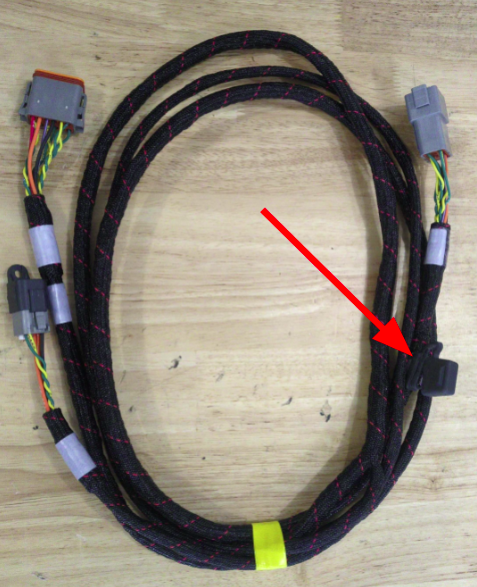
HARNESS, STARLINK POWER |
|
1 |
9999-EP-1699 |
ADAPTER, RF, IN SERIES SMA REV POL JACK TO SMA PLUG |
|
1 |
9999-DD-1026 |
ANTENNA, WIFI TRIPLE BAND 2.4/5.8/6 GHZ |
|
1 |
15 AMP FUSE |
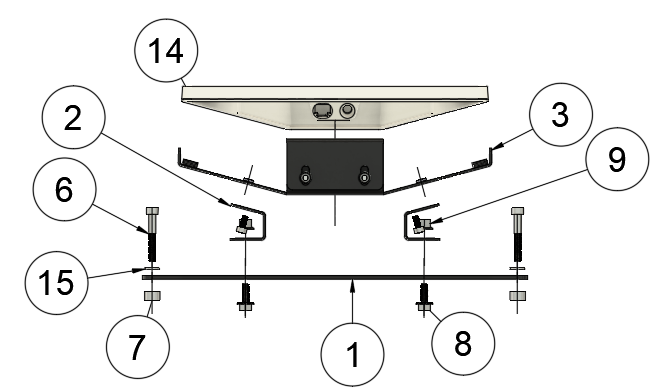
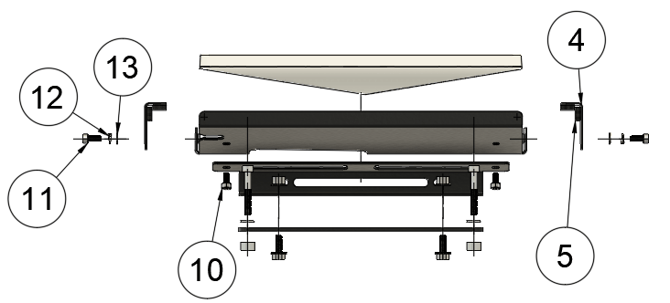
Hardware Installation
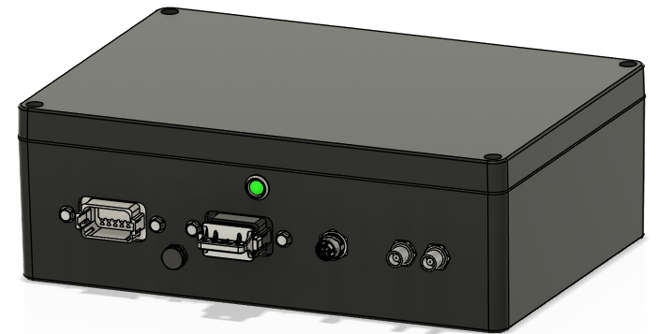
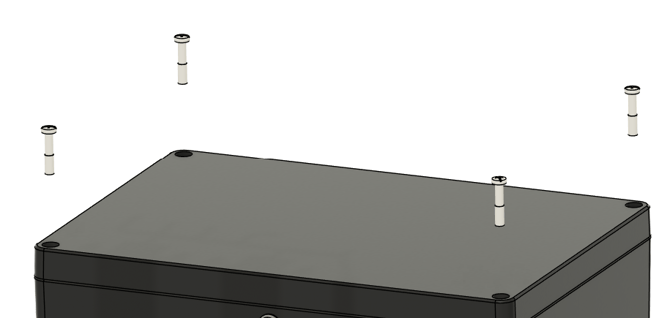
Step 1: Power off the system with the battery disconnect (Click here for more details). Locate the BFE enclosure on the rear of the vehicle. It will be located on the roof for cab tractors or on top of the ROPS for open station tractors. Remove the 4 screws holding the lid on.
Step 2: The starlink mount will come preassembled as shown.
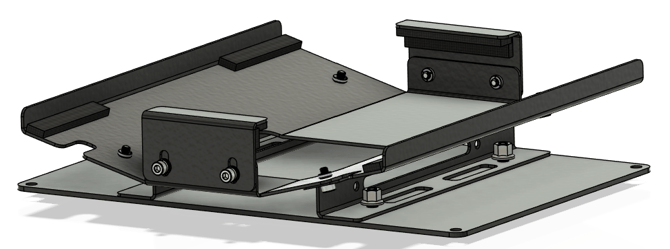
Step 3: Place the spacers over the holes where lid screws were removed from. Set the mount over the spacers and secure down using the M6 bolts and washers. DO NOT over tighten the M6 bolts, torque to 17.4 in-lbs.
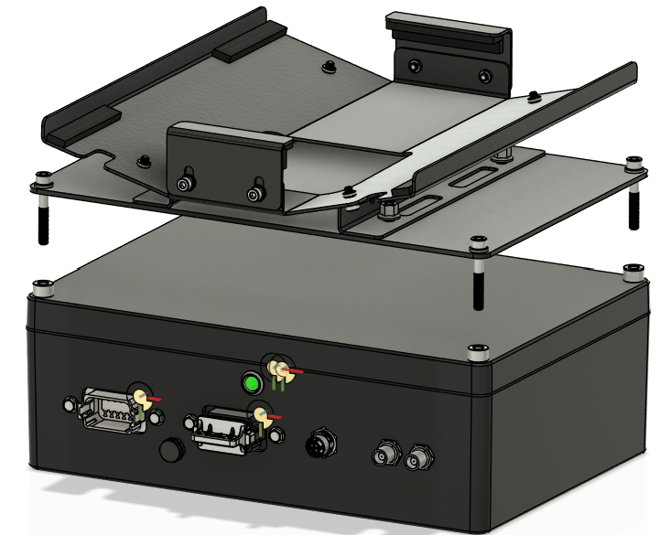
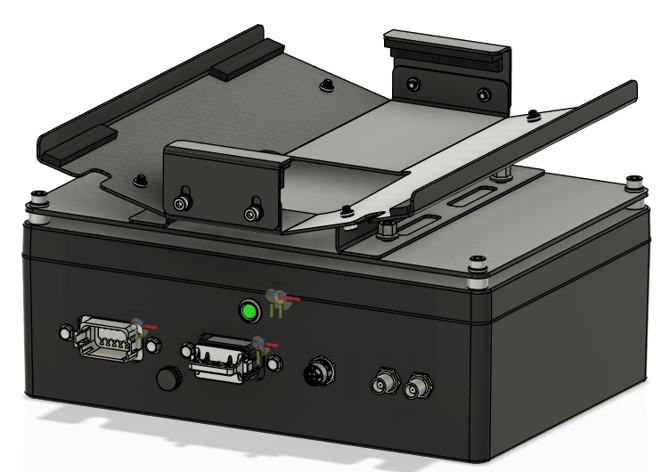
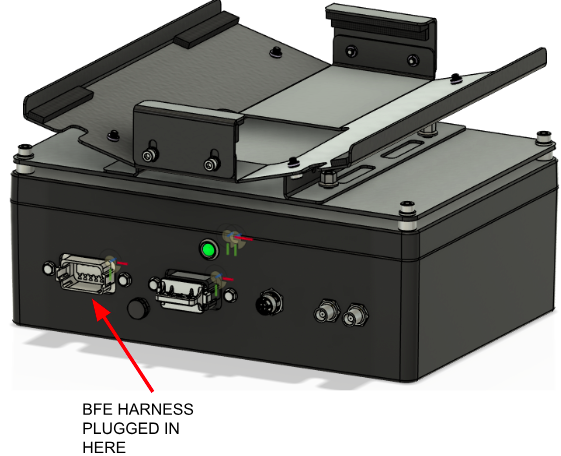
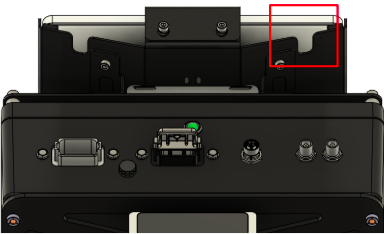
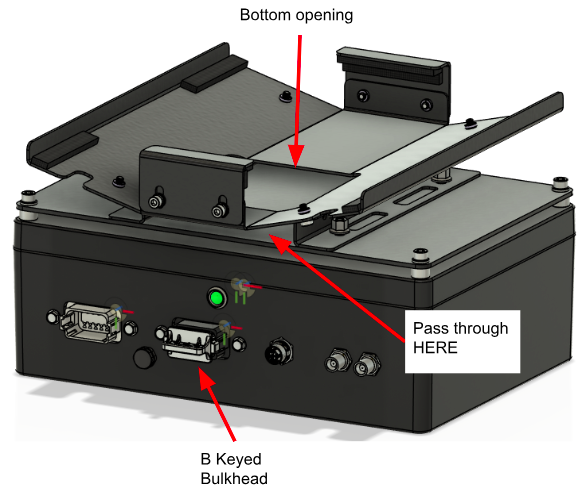
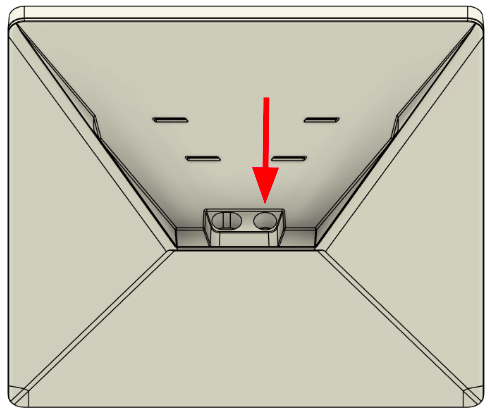
Step 4: Before placing the device in the cradle, we need to run the power cable that will power the device. The cable plugs into the 12 pin B keyed bulkhead (black bulkhead)on the rear of the BFE enclosure. Route the cable under the cradle, it will pass up through the bottom opening in the mounting cradle. There are two slots cut into the bottom of the cradle that you may use for zip ties to secure the cable.
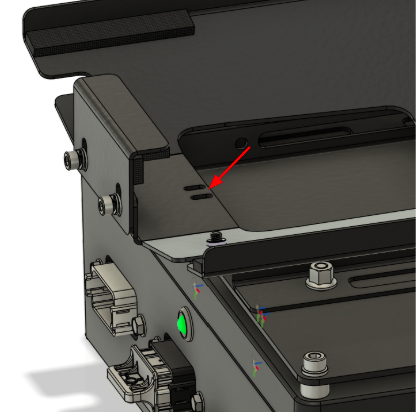
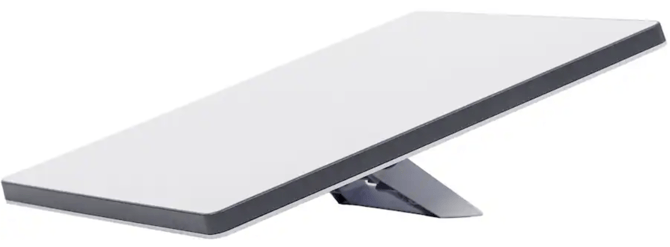
Step 5: Remove the clamping tabs and set the Starlink device in the cradle. Note: The Starlink device might have a plastic stand installed. Remove this stand before setting it into the cradle.
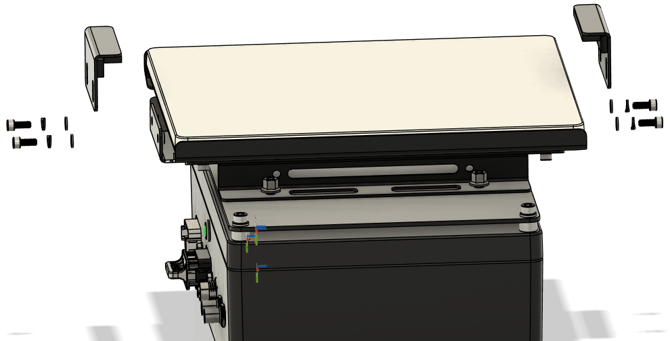
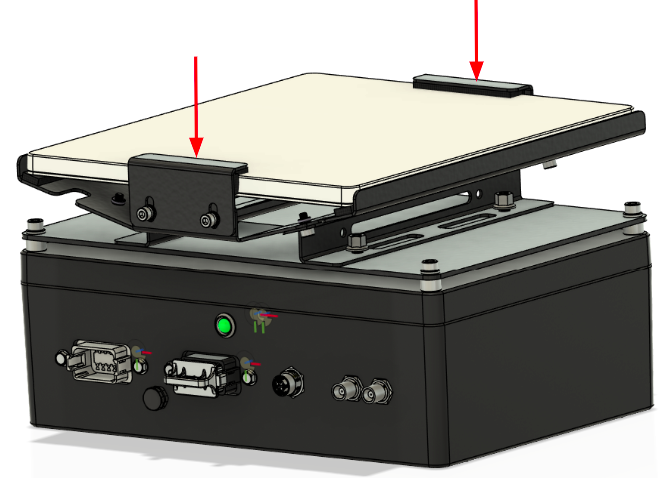
Step 6: Plug in the power cable to the Starlink device. Reinstall the clamping tabs to secure the device down. As you tighten, apply down pressure to the tabs to compress the foam for a snug fit.
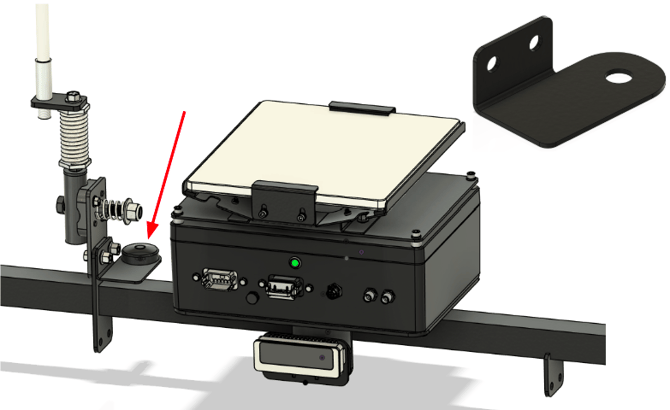
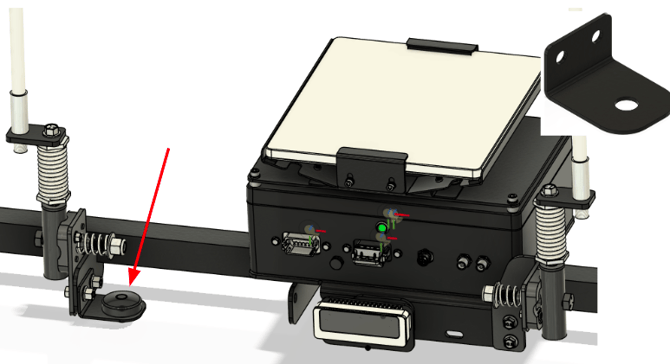
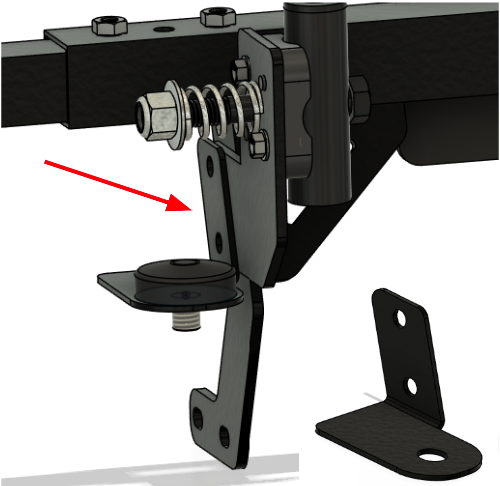
Step 7: Install the WiFi antenna. The kit will include two different brackets, one for a cab tractor and one if the tractor is an open station. However, the antenna is mounted the same on both. Mount the corresponding bracket to the rear bar of the cab or ROPS cross bar at the base of the first antenna to the left of BFE. Remove the nut off the bottom of the antenna, pass through cable, insert the antenna puck through the hole and tighten with the nut.
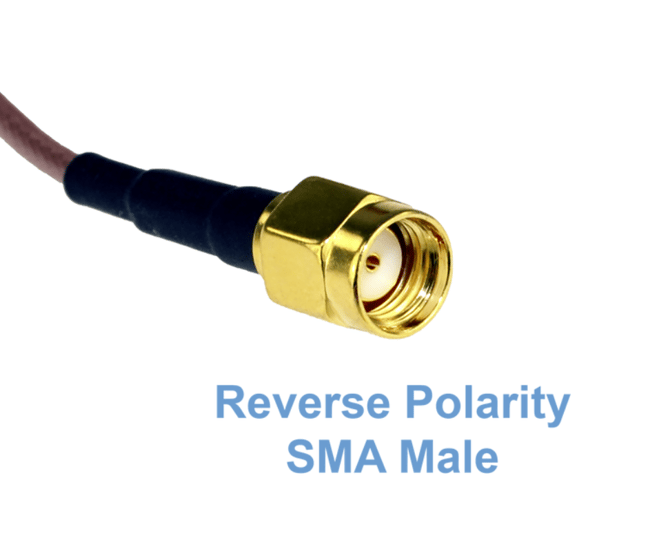
Step 8: Connect the cable to the vPFM. Route the cable down the ROPS structure or back of the cab with the rest of the cables. Install the required adapter on the end of the cable. Screw the adaptor attached to the cable end into the port labeled “Wifi” on the bottom of the vPFM.
|
Connector on cable |
Adapter needed |
|
|
|
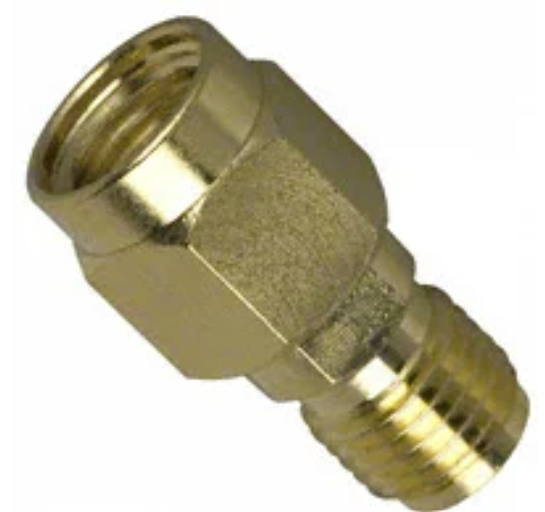
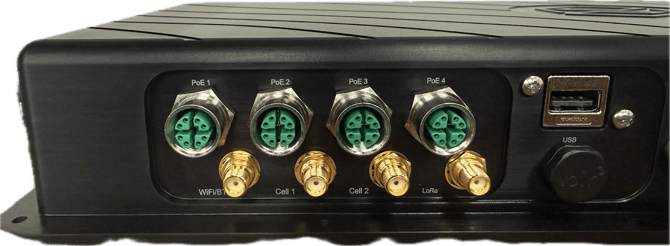
Step 9: If you are retrofitting the starlink, you must swap the fuse in the BFE harness. Otherwise your harness should already have the proper fuse. Locate the grey connector plugged into the BFE, follow the harness till you find a fuse holder towards the main harness side. Swap the 3 amp fuse to a 15 amp fuse