![Sabanto-Horizontal-Orange-on-Transparent-RGB-1080px-05.16.23.png]](https://support.sabantoag.com/hs-fs/hubfs/Sabanto-Horizontal-Orange-on-Transparent-RGB-1080px-05.16.23.png?height=50&name=Sabanto-Horizontal-Orange-on-Transparent-RGB-1080px-05.16.23.png)
Organizations planning to upgrade into the 1.22 release series should install the latest available 1.22.x release whenever possible.
Current Recommended Version: vOS 1.22.7
Quick search
Important Release Requirements
The following requirements are included primarily for users upgrading from vOS 1.19.x to vOS 1.22.x. These steps must be completed either before or after installing the vOS 1.22 update series based on the requirements details.
Each requirement only needs to be completed once. If it was already completed during a previous upgrade to the vOS 1.20.x series, it does not need to be repeated.
Wheel Circumference Calibration
Requirement introduced in vOS 1.20.0
We added a new safety check to detect when the wheels of the vehicle are moving but the vehicle is stationary. This ensures that the system stops navigation quickly if the vehicle is caught in a mudhole, washout, wethole, or other terrain that would cause the wheels to slip. This new feature requires your tire circumference to be calibrated properly to ensure the system can accurately detect wheel slip events without false pauses for "The reported ground speed was above the GPS speed by x.x mph."
To calibrate the tire circumference on a kubota tractor, Click Here.
To calibrate the tire circumference on a John Deere tractor, please contact your local JD dealer.
Related Documentation
Click "Save" on the Tractor Settings Page After the Update
Requirement introduced in vOS 1.20.0
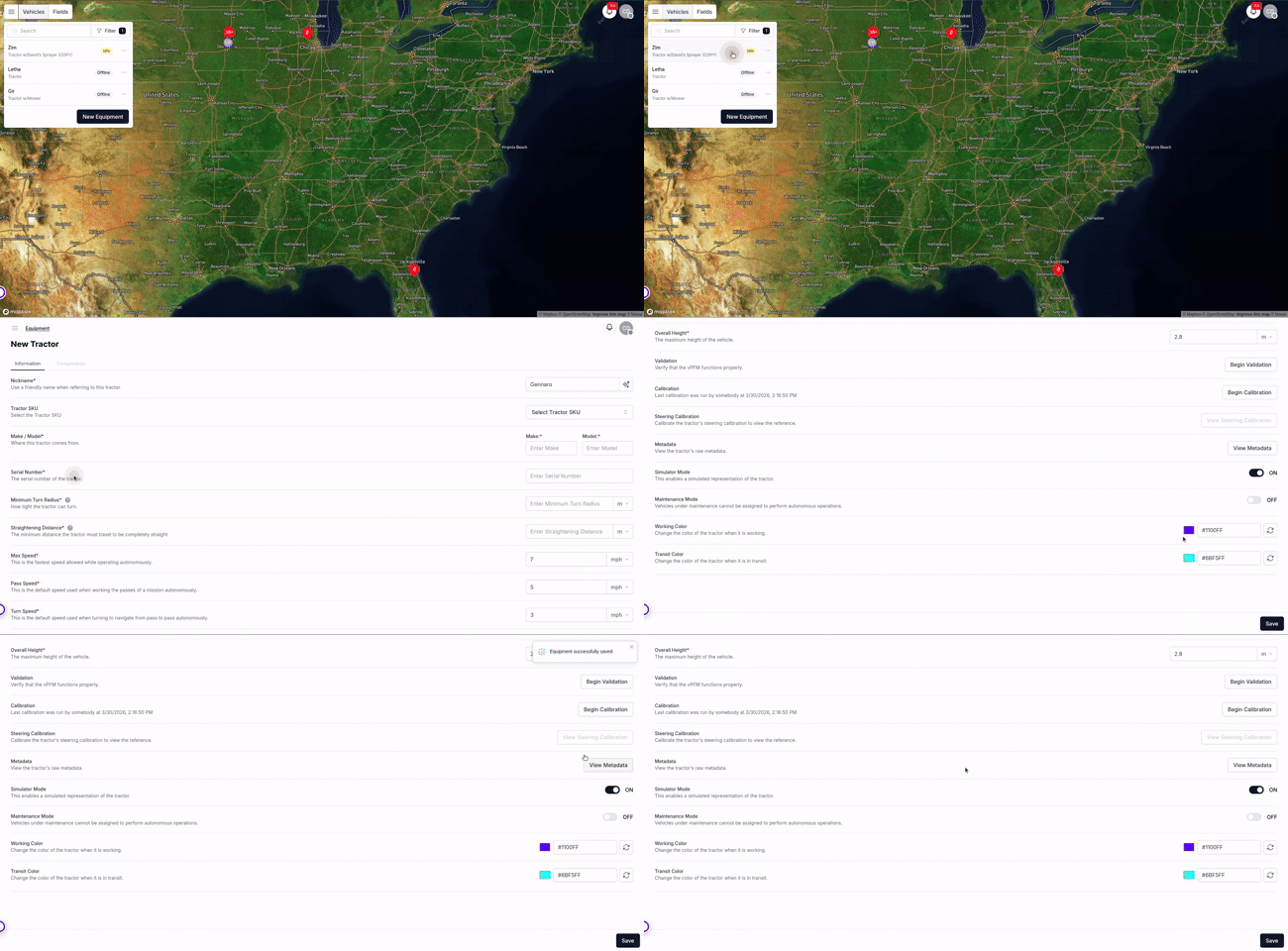
After installing this update, you are required to click the "Save" button on the tractor's setting page in vMC. Failure to do so will result in: The GPS light and Cell light on the switch box not turning on, the vehicle never comes online in vMC, and the device in vMC only shows as "Online" and never transitions to "Idle".
Related Documentation
Components Must be Added on vMC
Requirement introduced in vOS 1.20.0
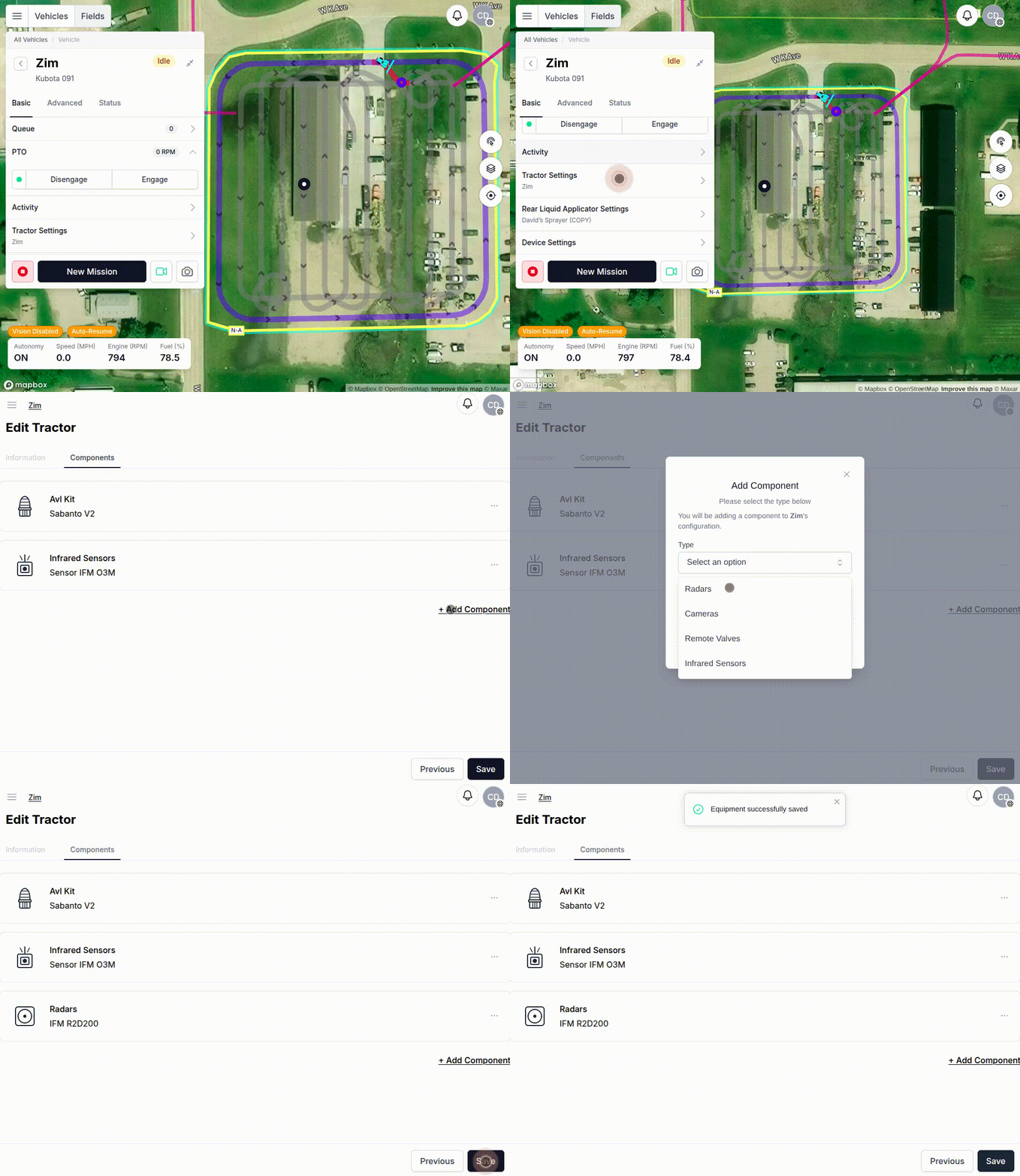
This update now uses Components to configure radar support.
If your vehicle is equipped with a radar unit, add the Radar component in vMC. If the Radar component is not added, the system will not use the radar to detect obstacles.
Additionally, add the Infrared Sensors and/or AVL components in vMC if those devices are installed on the vehicle.
Important: Do not add any Camera components at this time. Adding a Camera component will enable computer vision, which is not yet intended for use with this update.
Major Features
Obstacle Detection Override
Introduced in vOS 1.22.3
This feature is currently being released to beta customers. If you would like to take part in testing this new feature, please contact your dealer, Sabanto support, or Sabanto sales.
Sabanto will need to enable this feature for you directly until the feature is available for all customers publicly.
Sabanto Support - Tel: +1 (515) 218-9762 Email: support@sabantoag.com
Operators can now take control of their obstacle detection systems. After reviewing the live video feed and confirming the vehicle's path is clear, operators may override obstacle detection and allow the vehicle to continue operating.
Benefits:
- Quickly resolve detections (tree branches, shadows, weather)
- Resume after obstacles have cleared without a field visit
- Manage remote vehicles more efficiently
Click here for more details about this specific feature.
Important: This feature requires the front camera to be operational and streaming video. You'll visually verify the scene is safe before the vehicle resumes autonomous navigation.
Related Documentation
John Deere 5M Support for 2023+ Model Years
Introduced in vOS 1.22.0
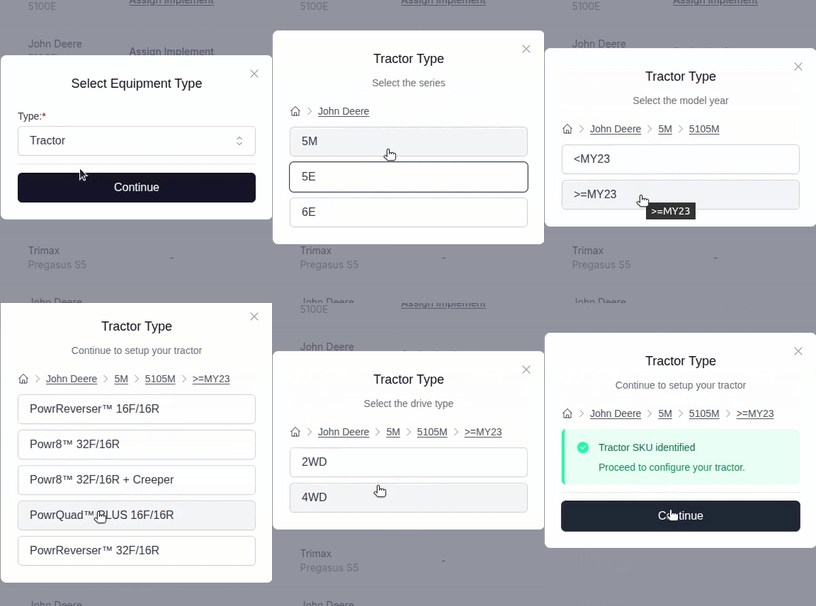
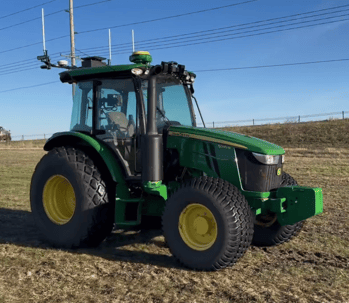
Sabanto autonomy now supports John Deere 5M PowrQuad PLUS vehicles from model year 2023 and newer.
 |
 |
With support for this updated platform now in place, we are also evaluating future transmission control capabilities for these vehicles. One feature under consideration is the ability to shift gears on the vehicle from vMC or autonomously during a mission.
If you operate a John Deere 5M with a PowrQuad transmission, stay tuned for future updates focused on expanded transmission control.
Related Documentation
Configurable DTC Notification Times
Introduced in vOS 1.22.0
This new feature allows users to now choose how often to receive alerts in the Advanced tab using the DTC Notifications control. This setting lets users configure whether the Sabanto autonomous system sends notifications for each unique DTC hourly, once per session (until the system is rebooted), or never.
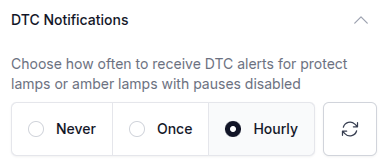
This feature only applies to notification-level alerts. Ignition cutoffs and navigation pauses will continue to generate an alert every time they occur. Notification alerts for DTCs will follow the selected DTC Notifications setting.
See the table below for a summary of alert behavior.
| Lamp Type | Description | Sabanto's Response | Can Notifications be controlled? |
| Malfunction Indicator lamp | Emissions-related trouble code active |
Turns off ignition |
No. Always alerts. Prefix: Ignition turned off: |
| Red Stop Lamp | Severe fault requiring immediate stop | Pauses navigation | No. Always alerts. Prefix: Navigation paused: |
| Amber warning lamp | Vehicle issue requiring attention, not immediate stop | Pauses navigation | Sometimes. If amber pauses are disabled, behaves like Protect Lamp, otherwise always alert. Prefix: Navigation paused: OR No prefix used for non pause events. |
| Protect lamp | Non-critical vehicle system issue | Notify operator |
Alerts based on DTC setting: Never, Once, or Hourly. |
Note: If amber lamp pauses are disabled, those pauses are treated as notification-level alerts. In that case, the DTC Notifications setting will also determine how often ignored amber lamp notifications are sent. For more information about disabling amber lamp pauses, please click here.
Related Documentation
- vOS 1.22.0 Release Notes
- vOS 1.17.0 Release Notes
- Release where disabling amber lamp pauses was introduced.
Major Resolved Issues
Radar Pauses are now Always Respected after a Device Restart
Resolved in vOS 1.22.6
We resolved an issue where radar pauses for obstacles might not be respected after a device restart if the radar was not functioning, even when radar detection was enabled.
With this fix, radar detection is enabled automatically after a restart whenever the radar component is enabled. Additionally, the system will now pause and notify you when the radar obstacle detection system is not functioning after a device restart.
Related Documentation
Error detected with the Hazards component of the AV kit
Resolved in vOS 1.22.5
We resolved an issue where this error would be thrown even if the hazard lights were on and in working order, leading to false pauses.
Related Documentation
PTO speed matches engine speed (visual only)
Resolved in vOS 1.22.3
We resolved an issue specific to 6E vehicles where the PTO speed would display on vMC as the same speed of the engine. Engine speed and PTO speed are now independent.
Related Documentation
Infrared Sensor Calibration Enhancements
Introduced in vOS 1.22.3
We have made substantial improvements to the Infrared Sensor calibration process to improve reliability. These updates reduce the risk of inaccurate calibration results, helping operators and dealers complete calibration successfully on the first attempt and reducing the need for additional support.
Related Documentation
Implement Raise After Device Restart
Resolved in vOS 1.22.1
When the vPFM is restarted from the devices page, the 3-pt hitch or remote valve driven implement will no longer move to the raised position automatically.
Related Documentation